
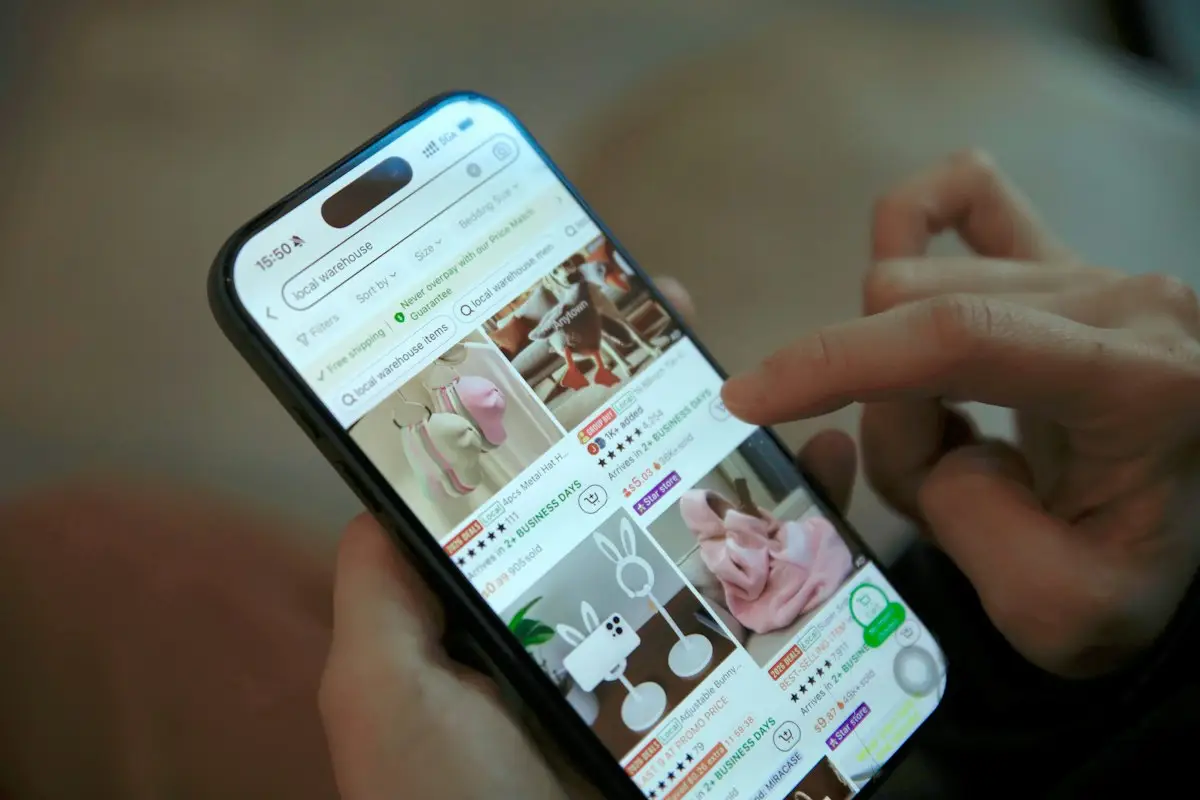
You can find genuine Amazon coupon codes in a few specific places: clippable coupons (called vouchers on Amazon UK) on product pages and Amazon's coupons page, promo codes from individual sellers and brands, and targeted offers inside your own Amazon account. Amazon rarely has a single site-wide code, so the biggest savings usually come from clipping on-page coupons, Subscribe & Save, Amazon Resale and timing purchases around sale events.
This guide explains where each type of Amazon saving lives, how to apply it, why codes fail, and which "code" sites to avoid. It covers both Amazon UK and Amazon US, and details were checked at the time of writing (September 2026). Amazon changes its programmes often, so check the terms on the offer itself.
Does Amazon have coupon codes?
Yes, but not in the way most shops do. With a typical online retailer you might find one code for 10% off everything. Amazon is a marketplace with millions of sellers, so discounts are spread across different mechanisms:
- Clippable coupons or vouchers on individual product listings.
- Seller and brand promo codes that apply to that seller's items only.
- Targeted Amazon promotions shown in your account, app or emails.
- Programmes such as Subscribe & Save, Amazon Resale and Amazon Haul.
- Deal events such as Prime Day, Prime Big Deal Days and Black Friday.
The reason is simple: a large share of products on Amazon are sold by independent sellers, and each seller decides whether to fund a discount on its own items. A site-wide code would mean Amazon paying for discounts on other businesses' products, which is why genuine public "Amazon-wide" codes are so rare. When you see one advertised, treat it with suspicion until you've confirmed it on Amazon itself.
Once you know which is which, you can check all of them in a couple of minutes.
Amazon coupons vs promo codes: what's the difference?
People use the two words interchangeably, but on Amazon they work differently.
| Clippable coupon (voucher) | Promo code | |
|---|---|---|
| Where you see it | On the product page, in search results and on Amazon's coupons page | From a seller, brand, email, social post or coupon site |
| How you use it | Tick or click to clip; the saving applies at checkout | Type the code into the gift card or promotion code box at checkout |
| Who creates it | Amazon or the seller | Usually the seller or brand |
| Typical limits | Limited budget or time; can run out | Often single-use, time-limited, region-specific or tied to one account |
| Works on | That listing (sometimes a range of items) | Only items sold by the seller who issued it |
In the UK you'll usually see clippable savings labelled as "vouchers" rather than coupons. They work the same way.
Where to find Amazon coupon codes and savings
Work through these places in order. The first two take seconds and catch most of the savings available on a typical order.
1. The product page
The easiest saving to miss is the one right under the price. Many listings show a small box to clip a coupon for a percentage or fixed amount off. Clip it before adding the item to your basket, then check the saving shows at checkout.
Also look at "Other sellers" for the same item. A different seller might have a lower price or a promotion the default seller doesn't.
2. Amazon's coupons page
Amazon gathers many clippable coupons on a dedicated coupons (or vouchers) page, which you can browse by category. It's worth a look before a household shop, because coupons on things you buy anyway, such as cleaning products, toiletries or pet food, add up quickly.
3. Sellers and brand storefronts
Many Amazon promo codes come from third-party sellers rather than Amazon. A press release published on Retail Dive explains that sellers use codes to offer temporary savings without cutting their listed price, and that some codes are single-use or region-specific. Places sellers share codes include:
- The brand's storefront on Amazon.
- The brand's own website and email newsletter.
- The brand's social media accounts.
- Coupon and deal sites, including store pages on CouponsBeast, where we check codes using the process on our how we verify coupons page.
4. Your Amazon account
Amazon sometimes runs its own promotions, such as credit for trying a new service, using a particular payment method or buying a gift card. These are usually targeted, so you'll see them when you're signed in, in the app or in emails from Amazon, rather than as a public code. If a promotion is meant for you, it will normally appear in your account.
5. Subscribe & Save
For items you buy regularly, Subscribe & Save can beat a one-off code. Amazon says the programme offers up to 15% off through auto-delivery. On its US Subscribe & Save page, Amazon explains that the larger discount applies when five or more subscribed products arrive at one address in the same month, that you can skip, change or cancel at any time, and that the price can go up or down between deliveries. Check the percentage shown on each product page, as it can vary.
6. Deal pages and sale events
Amazon's Today's Deals section collects time-limited offers, and events like Prime Day and Prime Big Deal Days (6 and 7 October 2026) bring the largest volume of discounts. Many event deals are for Prime members only. Our Prime Day 2026 guide covers how to judge event prices.
7. Amazon Resale
Amazon Warehouse has been renamed Amazon Resale. It sells returned, refurbished and open-box items graded Like New, Very Good, Good or Acceptable. Amazon UK says items come with its 30-day return policy and statutory rights, and that UK customers saved more than 30% off recommended retail prices on average in the previous year. For kitchen gadgets, tools and other items where the box doesn't matter, this can beat any coupon.
8. Amazon Haul
If you buy low-cost items, Amazon Haul launched in the UK on 6 May 2025 with products at £20 or less. Amazon lists automatic tiered discounts of 5% off orders over £30 and 10% off orders over £50, free delivery from £15 (£2.99 below that), delivery in about two weeks or less, and 15-day returns for unused items. No Prime membership is needed, but Prime delivery doesn't apply.
9. Amazon's own brands
Not a coupon, but often a bigger saving. Amazon highlights its own brands, such as Amazon Basics and Amazon Essentials, as lower-cost options, and in the US it also promotes grocery ranges including Amazon Grocery and Amazon Saver. For cables, batteries, storage and basics, comparing an own-brand item with a branded one plus coupon can show which is really cheaper. Check reviews and specifications, since cheaper doesn't always mean equivalent.
Summary: which Amazon saving should you use?
| Saving | Best for | Watch out for |
|---|---|---|
| Clippable coupon | Any one-off purchase | Coupon budget running out |
| Seller promo code | Specific brands you already buy | Only works with that seller |
| Subscribe & Save | Household staples on repeat | Price changes between deliveries; stockpiling |
| Amazon Resale | Electronics, appliances, tools | Condition grade and missing accessories |
| Amazon Haul (UK) | Cheap small items | Slower delivery; no Prime shipping |
| Deal events | Planned bigger purchases | "Was" prices that overstate the saving |
How to apply an Amazon promo code, step by step
- Clip any on-page coupon before adding the item to your basket.
- Check the seller matches the one that issued your promo code.
- Go to checkout and find the gift card or promotion code field.
- Enter the code exactly as given, with no spaces, and tap apply.
- Check the order summary shows the discount line before you place the order.
- If it fails, check the seller, product variation, quantity and expiry date, then try again.
If a code from a seller's own newsletter or social account keeps failing, you can contact the seller through their Amazon storefront and ask them to confirm the terms. Keep the conversation on Amazon's messaging system rather than moving to email or messaging apps, which keeps a record and protects you from scams.
Worked example: stacking a coupon with Subscribe & Save
Say you buy a £20 pack of washing tablets every month. The listing shows a £2 clippable coupon, and Subscribe & Save offers 5% off (the exact rate varies by product).
- Price: £20.00
- Clippable coupon: £2.00 off, bringing it to £18.00
- Subscribe & Save at 5% of £18.00: £0.90 off, bringing it to £17.10
That's £2.90 off, or 14.5%, on the first delivery. Coupons don't always stack with Subscribe & Save, and on-page coupons may only apply to the first delivery, so check the checkout summary. Over a year, a regular 5% saving on £20 a month is £12; reaching a higher tier by consolidating deliveries could save more, but only if you'd buy the items anyway.
Why isn't my Amazon promo code working?
- Wrong seller. A seller's code only works on items that seller sells. If the default seller on the listing changes, the code can stop working.
- Wrong variation. The code may cover one size or colour but not another.
- Expired or used up. Many codes are time-limited or single-use.
- Account-specific. Targeted offers only work on the account they were sent to.
- Region mismatch. A code for Amazon.com won't work on Amazon.co.uk, and vice versa.
- Coupon budget exhausted. Clippable coupons can run out before you pay.
- Minimum spend or quantity not reached after other discounts.
Our guide on why coupon codes don't work covers other common causes.
Amazon code sites and "generators" to avoid
Search for Amazon codes and you'll find pages promising huge discounts or tools that claim to "generate" codes. The Retail Dive release warns shoppers to avoid services claiming to generate unauthorised codes, as they tend to offer misleading or invalid promotions. There is no legitimate way to create an Amazon discount code yourself as a shopper; codes are created by Amazon or by sellers. We explain this further in our guide on whether you can generate an Amazon coupon code.
Be especially wary of:
- Codes promising a very large discount on almost anything.
- Sites asking for your Amazon login, card details or a "verification" download to reveal a code.
- Messages claiming to be from Amazon with a code attached. Check your account directly rather than clicking.
- "Free Amazon gift card" offers that ask you to complete surveys or share personal details.
Our guide to spotting fake coupon codes goes through the warning signs.
Are there Amazon discounts for students and young adults?
Amazon doesn't usually offer student coupon codes, but it does discount Prime membership itself, which unlocks member-only deals and delivery. At the time of writing, Amazon UK lists Prime at £8.99 a month or £95 a year, with a reduced rate of £4.49 a month or £47.49 a year for students and 18 to 24-year-olds. In the US, Prime for Young Adults costs $7.49 a month or $69 a year, and Prime Access costs $6.99 a month for eligible, income-verified customers.
These discounts only save money if you'd use Prime anyway. If you join mainly for one sale event, set a reminder to review the membership before the trial or first renewal.
Amazon UK vs Amazon US: how do coupons differ?
The basic tools are the same on both sites, but a few details differ:
- Names: Amazon UK tends to call clippable savings "vouchers"; Amazon US calls them "coupons".
- Codes are site-specific: a seller code issued for Amazon.com won't work on Amazon.co.uk, even for the same brand.
- Programmes vary: Amazon Haul launched in the UK in May 2025 with UK-specific thresholds, while features such as Prime Access and some Alexa shopping tools are US-only.
- Consumer rights: UK shoppers generally have 14 days to cancel most online orders after delivery, on top of Amazon's own returns policy.
If you read deal posts from US sites, check whether the offer applies to your country's Amazon before you get your hopes up.
Can you use cashback or gift card offers with Amazon coupons?
Sometimes. Cashback sites occasionally list Amazon, but rates are usually low and limited to certain categories, so read the terms on the cashback site before relying on it. Our guide to cashback vs coupons explains how the two work together.
Amazon also runs occasional gift card promotions, such as bonus credit when you buy a gift card for the first time. These are targeted and time-limited, so you'll see them on Amazon itself if you're eligible. Be very wary of any outside offer of "free Amazon gift cards"; these are a common route for scams.
Common mistakes when hunting for Amazon discounts
- Skipping the product page. The best coupon is often already on the listing.
- Searching for a site-wide code that doesn't exist instead of checking the seller.
- Adding items to hit a threshold that you don't need.
- Letting subscriptions run on autopilot after prices change.
- Trusting deal badges without checking price history.
- Buying a Resale item without reading the condition notes.
Tips to pay less on Amazon
- Check the product page and other sellers first.
- Browse the coupons page before a big household order.
- Use Subscribe & Save only for things you genuinely buy on repeat, and review each reminder email.
- Look at Amazon Resale for electronics and appliances.
- Check price history before buying during a deal event.
- Get seller codes from the brand, its storefront or a reputable coupon site, never a code generator.
- Compare the final price with other retailers; some shops will price-match Amazon, so it is worth asking.
Bottom line
Amazon coupon codes aren't one code but several kinds of saving. Clip on-page coupons, look for seller codes from the brand or a reputable coupon site, use Subscribe & Save for staples, and check Amazon Resale and sale events for bigger items. Avoid anything calling itself a code generator, and always confirm the discount appears in your order summary before you pay.



Reviews & comments (0)
No comments yet. Be the first to share your thoughts!