
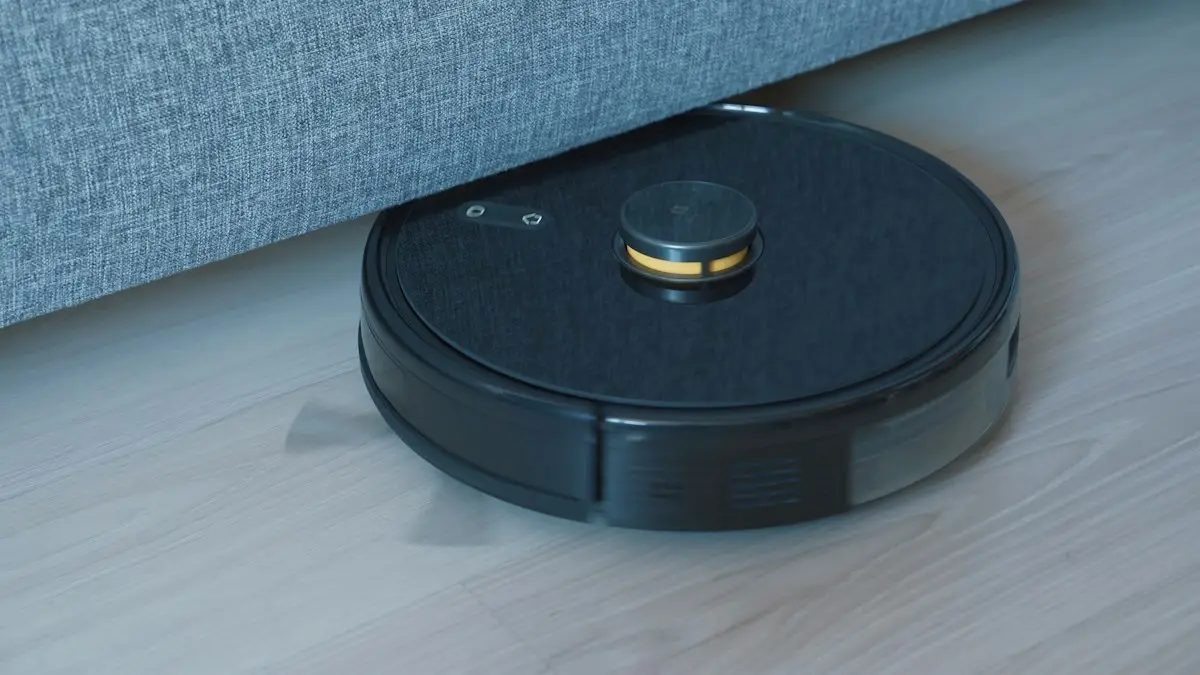
The easiest way to choose a Dreame robot vacuum is to decide on the dock first, then the mopping system, then obstacle avoidance and threshold climbing, and only then compare suction. Dreame's D series is entry level, the L series covers mid-range to upper mid-range, the X series is the flagship line, and Matrix10 and Aqua10 are specialist mopping models. Because similar model names can hide very different hardware, always compare the exact spec sheets before you buy.
This guide breaks the range down by what matters in a real home, explains Dreame's confusing suffixes, shows current UK price examples (September 2026), and covers how to get a better deal once you've picked your shortlist.
How is the Dreame robot vacuum range organised?
Dreame groups its robots into series that roughly map to price and automation. Within each series, higher numbers generally mean a newer generation. The broad picture below draws on Dreame's official comparison page and the Vacuum Wars Dreame buyer's guide.
| Series | Where it sits | What to expect | Example models |
|---|---|---|---|
| D series | Entry level | Simpler robots, mostly plate mops and LiDAR navigation; the newer D30 Ultra adds spinning mops and a washing dock | D10 Plus Gen 2, D20 Plus, D30 Ultra |
| L series | Mid-range to upper mid-range | The widest spread: dual spinning mops, docks from basic to hot-water washing, camera obstacle avoidance on many models | L10s Ultra, L40s Ultra, L50 Ultra, L60 Ultra |
| X series | Flagship | Most automation, strongest obstacle handling, retractable LiDAR, step climbing on newer models | X40 Ultra, X50 Ultra, X60 Ultra |
| Matrix10 | Specialist premium | Dock switches automatically between three mop pad types for different rooms | Matrix10 Ultra |
| Aqua10 | Specialist premium | Roller mop continuously rinsed with fresh water while it cleans | Aqua10 Ultra Roller |
Dreame launches new families regularly. The X60 range was shown at CES in January 2026, which usually means earlier flagships such as the X50 and X40 become better value over the following months.
What do Plus, Ultra, Pro and Master mean?
Dreame's suffixes tell you more about the dock than the robot. As a general guide:
- Plus: an auto-empty dock that sucks dust from the robot into a bag.
- Ultra: an all-in-one dock that auto-empties and washes the mops, usually refilling water and drying the pads too.
- Pro Ultra: an upgraded robot paired with an all-in-one dock.
- Complete: usually a higher-spec package; check exactly what the dock and box include.
- Master: a dock plumbed into your home's water supply and drain, so there are no tanks to fill or empty.
- "s" (as in L40s): a mid-generation refresh with hardware or software upgrades.
- AE, CE, FE, PE and Gen 2/Gen 3: regional or retailer variants that don't follow a neat hierarchy.
That last point is the trap. Two robots in the same family can have different brushes, obstacle sensors, dock features and threshold climbing. For example, one L40s Ultra variant uses a camera-based obstacle system while another relies on structured light only. Never assume a model with a similar name has the same hardware.
Which Dreame dock type do you need?
The dock decides how much work you do between cleans, so start here.
| Dock type | What it does | What you still do | Best for |
|---|---|---|---|
| Charging dock only | Charges the robot | Empty the bin after most runs, rinse mop pads by hand | Tight budgets, small flats |
| Auto-empty ("Plus") | Empties the dustbin into a bag | Change the bag every few weeks, handle mopping yourself | Mostly carpets, occasional mopping |
| All-in-one ("Ultra") | Empties, washes and dries mops, refills water; hot-water washing on higher models | Empty dirty water, fill clean water, change bags | Regular mopping, busy homes |
| Plumbed ("Master") | As above, but connected to your water supply and drain | Change bags and consumables | Hands-off owners willing to install it |
If you'll mop more than once a week, an all-in-one dock is worth it. Without one, you'll be rinsing grubby mop pads by hand. The trade-off is space: Ultra docks are tall and deep, so measure the spot where it will live, including clearance in front for the robot to dock.
How do Dreame robots mop?
Plate mops
Older and entry-level D models drag a damp cloth on a flat plate. It's fine for light dust on hard floors, but it won't shift dried-on marks and usually can't lift itself over carpet.
Dual spinning mops
Most L, X and newer D models use two rotating pads that scrub as they spin. Many can swing a pad outwards to reach along skirting boards and under kick plates, lift the pads (typically around 7mm to 10.5mm, depending on model) when they reach rugs, and on flagship models detach the pads entirely so they can vacuum carpets without dragging damp pads around.
Multi-mop switching (Matrix10)
According to Dreame's own comparison, the Matrix10 Ultra's dock automatically switches between three pad types based on the room: nylon for kitchens, sponge for bathrooms and a thermal pad for living areas. It's designed to stop grime from one room being spread into another.
Roller mops (Aqua10)
The Aqua10 Ultra Roller uses a single roller that's constantly sprayed with fresh water while it scrubs, with the dirty water flushed into a separate tank. Dreame positions it for homes with lots of hard floor, frequent spills and pet mess.
Which features matter day to day?
Obstacle avoidance
Entry models use LiDAR plus a bumper, so they detect objects by touching them. Mid-range models add 3D structured light, which spots obstacles in front of the robot. The best combine structured light with an RGB camera and AI recognition to identify cables, socks, shoes and pet mess. Dreame says its X60 Max Ultra Complete recognises more than 280 object types. If you have pets or young children, camera-based avoidance is the feature most worth paying for.
Hair and tangles
Dreame's anti-tangle designs, including TriCut (which cuts hair wrapped round the brush) and DuoBrush or HyperStream DuoBrush systems, reduce the time you spend snipping hair off rollers. Long-haired households and pet owners should prioritise these over raw suction.
Height and thresholds
Many flagships have a LiDAR tower that retracts so the robot can clean under low sofas and beds. Dreame's specs for the X60 Max Ultra Complete list a height of 7.95cm with the tower retracted, climbing single steps up to 4.5cm and double-layer steps up to 8.8cm (Dreame). Some L series models also have step-climbing systems; Vacuum Wars lists threshold climbing of around 39mm on the L40s Ultra and 60mm on the L50 Ultra. If your home has raised door bars, this matters far more than extra suction.
Suction power
Suction is quoted in pascals (Pa), and Dreame's numbers climb every year: from about 6,000Pa on older D models to 35,000Pa on the X60 and top L60 models. Higher suction helps pull dirt from deep-pile carpets, but past a certain point, brush design, airflow and navigation make more difference than another 5,000Pa.
Carpets and rugs
If you have a mix of carpet and hard floor, check how the robot handles the switch. Carpet detection lets it boost suction automatically and lift or leave behind its mop pads. Models that can detach their mops at the dock are the safest choice for homes with lots of rugs, as they never drag damp pads over carpet. Deep-pile and shaggy rugs, and rugs with tassels, can still trip up any robot, so plan to set these as no-go or vacuum-only zones.
App and mapping
All current Dreame robots use LiDAR mapping and the Dreame app to set no-go zones, room-by-room suction and mopping levels, and schedules. Multi-floor map saving is common, so you can carry the robot upstairs and it will recognise where it is.
Which Dreame robot vacuum is right for you?
| Your home | Look for | Example to shortlist |
|---|---|---|
| Small flat, mostly hard floors, tight budget | Entry model with an auto-empty dock | D20 Plus or similar D series Plus model |
| Want mopping automation on a budget | All-in-one dock at the lower end of the range | D30 Ultra or an older L10s Ultra |
| Family home with mixed floors | L series Ultra with hot-water mop washing and camera obstacle avoidance | L40s Ultra, L50 Ultra |
| Pets and long hair | Anti-tangle brush plus RGB camera avoidance | An L or X model with TriCut or DuoBrush and AI camera |
| High thresholds or low furniture | Step climbing and retractable LiDAR | L50/L60 family or X60 family |
| Lots of hard floor, mopping is the priority | Specialist mop system | Matrix10 Ultra or Aqua10 Ultra Roller |
How much does a Dreame robot vacuum cost in the UK?
Prices move constantly, but here's a snapshot of prices shown on Dreame's UK store at the time of writing (September 2026):
- D30 Ultra: £279 (listed down from £349)
- L10s Ultra Gen 3: £349 (from £479)
- L50 Ultra AE and L50s Pro Ultra: £449 each
- Matrix10 Ultra: £799 (from £999)
- X60 Pro Ultra Complete: £1,299
The UK store also advertises free delivery on orders over £99, 30-day returns and a 2 or 3-year warranty depending on product. Always check the live price and terms, and compare with other retailers before paying.
How to choose a Dreame robot vacuum: step by step
- Measure the dock space. Check height, depth and the clear area in front. Note whether there's a socket nearby.
- Measure your thresholds. Use a ruler on door bars and any steps between rooms. Rule out models that can't climb them.
- Check your lowest furniture. Measure the gap under sofas and beds and compare it with robot height.
- Decide how often you'll mop. Weekly or more means an all-in-one dock; rarely means Plus is enough.
- Pick your obstacle level. Pets, kids or cables on the floor point to camera-based avoidance.
- Shortlist two or three exact model codes. Include any suffix (AE, CE, Gen 2) and compare spec sheets line by line.
- Check consumables. Find the price and availability of dust bags, mop pads, filters and brushes.
- Then compare prices and codes across retailers.
A worked example: is the bigger dock worth it?
Say you're choosing between a Plus model at £250 and an Ultra model at £349. The Ultra costs £99 more.
- If you mop twice a week and hand-rinsing pads takes about 10 minutes each time, that's roughly 17 hours a year you get back.
- Spread over three years, the extra £99 works out at about £33 a year, or under £2 for every hour saved.
- If a 10% code applies at checkout, the £349 model drops by £34.90 to £314.10, narrowing the gap to £64.10.
If you rarely mop, the maths flips: keep the £99 and choose the Plus model.
What are the running costs of a Dreame robot vacuum?
A robot vacuum's price isn't the full cost. Budget for:
- Dust bags for auto-empty docks; Dreame quotes up to around 100 days between changes on some docks, such as the X60 Max Ultra Complete, though pet hair fills them faster;
- Mop pads, which wear out with regular washing;
- Filters and side brushes, replaced periodically;
- Main brushes, less often;
- Cleaning solution, if your dock auto-dispenses it;
- Electricity, especially for docks that heat water and dry pads with warm air.
Check that consumables for your exact model are easy to buy in the UK. Replacement kits from Dreame or reputable retailers are safer than unbranded parts that may not fit properly.
A simple maintenance routine
Even the most automated dock needs a little help to keep working well. A light routine prevents smells, blocked sensors and poor pickup:
- Weekly: empty the dirty-water tank and top up clean water (unless you have a plumbed dock), and wipe the robot's sensors and camera window with a dry cloth.
- Fortnightly: remove hair from the main brush and side brushes, and rinse the dock's washing tray.
- Monthly: tap out or replace the filter as the app recommends, and check the wheels for tangled hair.
- When prompted: replace the dust bag, mop pads and brushes. The Dreame app tracks consumable life and warns you when parts are due.
Dirty water left in a warm dock for days is the most common cause of bad smells, so empty it promptly, especially in summer.
Common mistakes when buying a Dreame robot vacuum
- Shopping by name alone. Assuming an L40s Ultra CE is the same as an L40s Ultra AE.
- Chasing suction figures while ignoring obstacle avoidance and brush design.
- Forgetting the dock footprint and discovering it won't fit under a counter or in the hallway.
- Ignoring thresholds, so the robot gets stuck at the kitchen door every day.
- Buying from marketplace sellers without checking UK warranty support.
- Missing the return window. Test mapping, docking and mopping in your first two weeks. Online purchases normally come with a 14-day cancellation period under UK consumer law, and Dreame's UK store advertises 30-day returns.
How to get a better price on a Dreame
- Consider last year's flagship. After the X60 launch, X50 and L40s-era models often fall sharply.
- Compare retailers. Dreame robots are sold by Dreame UK, Amazon and major electricals retailers, and prices differ. If your preferred shop price matches, see our guide to price matching.
- Watch the big sales. Prime Day and Black Friday are common times for robot vacuum discounts. Our Prime Day guide and Black Friday 2026 guide cover timing.
- Check for codes. See the Dreame store page on CouponsBeast for current offers before you buy.
- Check the "was" price. Look at price history where you can, so you know a reduction is genuine.
Tips before you buy
- Tidy cables and small objects before the first run, even with AI avoidance.
- Let the robot complete a full mapping run, then set no-go zones for pet bowls and rugs with tassels.
- Register your product for warranty and keep the receipt.
- Buy a spare set of mop pads and bags at the same time if there's a bundle offer.
- Still considering an upright or cordless instead? Our Bissell vacuum buying guide covers the alternatives.
Bottom line
The right Dreame robot vacuum is the one whose dock, mop system, obstacle avoidance and threshold climbing match your home, not the one with the biggest suction number. Measure first, shortlist exact model codes, compare spec sheets, then look for last year's flagship or a sale price with a verified code to bring the cost down.



Reviews & comments (0)
No comments yet. Be the first to share your thoughts!