
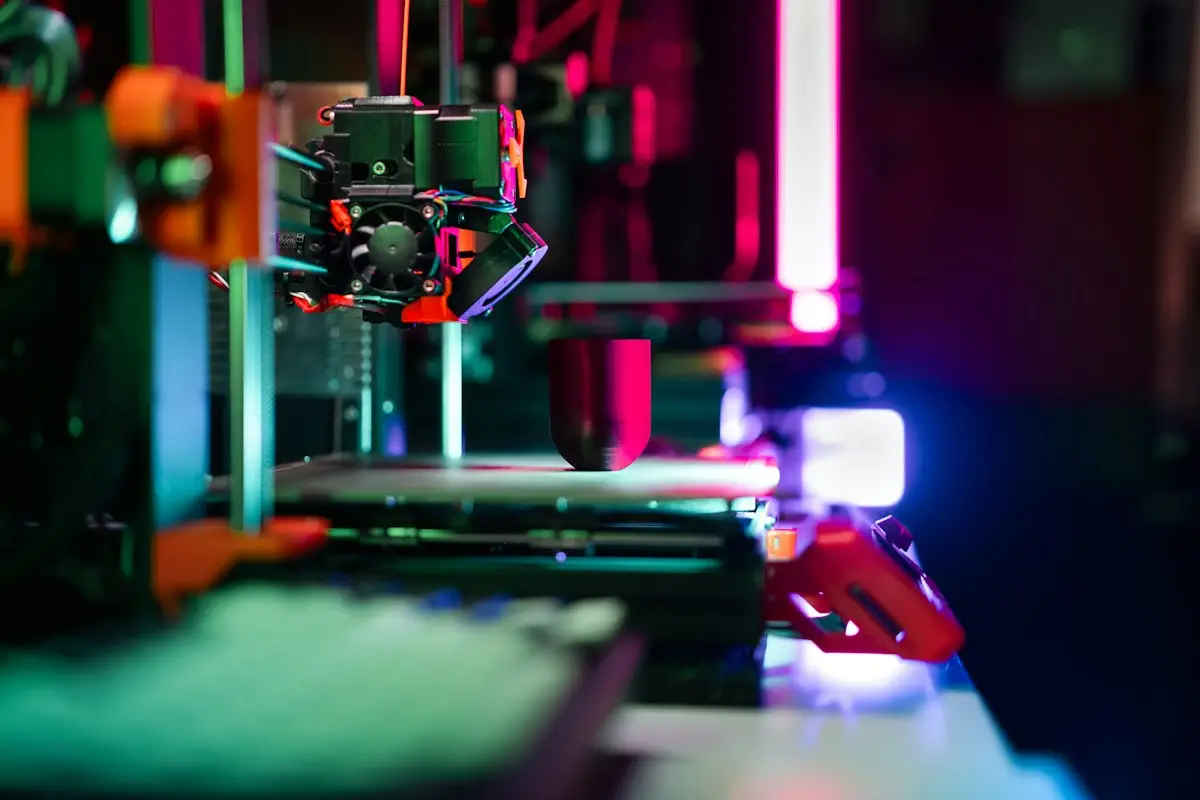
The best Anycubic 3D printer for most beginners is a filament (FDM) model from the Kobra range, such as the single-colour Kobra 4 or the multicolour Kobra X, while resin Photon printers suit people who mainly want highly detailed miniatures. Your choice comes down to what you want to print, how much space you have and whether you need colour. This guide explains the two technologies, compares the main models on sale in September 2026, and shows how to avoid overspending on your first machine.
Is Anycubic a good brand for beginners?
Anycubic is one of the brands most people meet when they first look at 3D printers. It sells both filament and resin machines, from compact starter printers to large multicolour setups, and it runs regional online stores for the US, UK and EU as well as selling through marketplaces.
For beginners, the appeal is a mix of price and features. Many current Anycubic machines include automatic bed levelling, fast print speeds and app or camera monitoring, features that used to be reserved for much more expensive printers. The flip side is that the line-up changes quickly, with new models arriving every few months, so it can be hard to tell which printer replaces which.
That is what this guide is for. Specs below come from Anycubic's own store pages, its wiki and launch coverage. Prices move constantly, so treat any figure as a snapshot and check the store you are buying from.
FDM or resin: the first decision
Anycubic's range splits into two technologies, and they suit very different projects. Decide this first, then compare models.
FDM (filament) printers: the Kobra range
FDM printers melt a plastic filament and build objects layer by layer. They are the most common type for beginners. You can print practical parts, storage boxes, toys, cosplay pieces and replacement clips in materials such as PLA, PETG and TPU. Anycubic's FDM printers carry the Kobra name.
Resin printers: the Photon range
Resin printers cure liquid resin with light, one very thin layer at a time. They produce far finer detail, which is why miniature painters, tabletop gamers and jewellery makers like them. The trade-off is mess and safety: uncured resin needs gloves, good ventilation, and a wash and cure step after every print. Anycubic sells its own Wash & Cure machines for this (Anycubic store).
| Factor | FDM (Kobra) | Resin (Photon) |
|---|---|---|
| Best for | Practical parts, larger models, cosplay, household fixes | Miniatures, figures, jewellery, fine detail |
| Detail level | Good; visible layer lines | Excellent; very smooth surfaces |
| Mess and safety | Low; PLA is easy to handle | Higher; gloves, ventilation and cleaning needed |
| Post-processing | Remove supports, optional sanding | Wash, cure, remove supports |
| Colour printing | Yes, with multicolour models or add-on units | Mostly single colour (paint afterwards) |
| Running costs | Filament spools | Resin, cleaning alcohol, FEP/release film, gloves |
If you are unsure, start with FDM. It is more forgiving, cleaner and suits a wider range of projects. You can always add a small resin printer later if you get into miniatures.
Anycubic Kobra models compared
Here are the main Kobra families listed on Anycubic's store at the time of writing (September 2026) and what sets them apart. The older Kobra 3 is still widely available through retailers and marketplaces, so it is included too.
| Model | Build volume | Key features | Best for |
|---|---|---|---|
| Kobra 4 / Kobra 4 Combo | 260 x 260 x 260 mm | Up to 600 mm/s; 300°C hotend; Combo adds an ACE 2 Pro for four colours | Beginners who want a straightforward single-colour start, with a colour upgrade path |
| Kobra X / Kobra X Combo | 260 x 260 x 260 mm | Native four-colour printing, expandable to 19; up to 600 mm/s; AI failure detection and camera | Beginners who want colour from day one |
| Kobra 3 / Kobra 3 Combo | 250 x 250 x 260 mm | Open bed-slinger; Combo adds the ACE Pro multicolour unit | Budget buyers finding it discounted elsewhere |
| Kobra S1 / S1 Combo | 250 x 250 x 250 mm | Enclosed CoreXY design, hotend up to 320°C | Faster printing and materials such as ABS and ASA |
| Kobra S1 Max / S1 Max Combo | 350 x 350 x 350 mm | Actively heated chamber, 350°C hotend, hardened steel nozzle | Large engineering parts and abrasive filaments |
| Kobra 3 Max / 3 Max V2 | 420 x 420 x 500 mm | Very large open-frame build area | Big props, helmets and cosplay |
Kobra 4: the simple starting point
The Kobra 4 is Anycubic's newer mainstream filament printer. Its product page lists a 260 mm cube build volume, a maximum speed of 600 mm/s (with 300 mm/s recommended), a 300°C hotend and support for PLA, PETG and TPU 95A. Anycubic also quotes noise of 48 dB or less in standard mode and 45 dB or less in silent mode. The base model prints one colour; the Kobra 4 Combo includes one ACE 2 Pro unit for four-colour printing, and you can add more units later.
Kobra X: colour built in
The Kobra X is Anycubic's entry-level colour printer and went on early-bird sale in January 2026. It prints in four colours natively (expandable to 19), supports PLA, PETG, TPU and PVA, and includes AI monitoring that watches for failed "spaghetti" prints, plus a 720p camera for time-lapses (3DPrinting.com). Its colour-change system sits much closer to the nozzle than an external unit, which Anycubic says cuts the amount of filament wasted during colour swaps.
At launch Anycubic also ran a "3D Print Guarantee" for new Kobra X owners: if the official benchmark print failed and the fault was down to the machine, the company promised tailored help and two spools of PLA (Fabbaloo). That offer was tied to the launch period, so don't assume it still applies.
Kobra S1 and S1 Max: enclosed and faster
The Kobra S1 is an enclosed CoreXY printer with a hotend that reaches 320°C, which helps with materials such as ABS and ASA that warp in draughts. The larger Kobra S1 Max was announced in November 2025 with a 350 mm cube build volume, an actively heated chamber and support for abrasive filaments like carbon fibre blends (Fabbaloo). It is a lot of printer for a first-timer.
Kobra 3 Max: for very large prints
With a 420 x 420 x 500 mm build area, the Kobra 3 Max lets you print helmets and large props in one piece. It is big and needs a sturdy table, so measure your space first.
Anycubic Photon resin printers compared
If detail matters more than size, the Photon range is where to look. These are the main models on the store in September 2026.
- Photon Mono 4 and Mono 4 Ultra: compact printers with a 153.4 x 87 x 165 mm build volume and 17 micron XY resolution. A good first resin printer for miniatures on a small budget.
- Photon Mono M7 and M7 Pro: a larger 223 x 126 x 230 mm build volume, handy for bigger models or printing several miniatures at once.
- Photon Mono M7 Max: a large-format option at 298 x 164 x 300 mm.
- Photon P1 and P1 Max: prosumer printers. The P1 launched on Kickstarter in December 2025, and Anycubic says an optional dual-material kit lets it print two resins or colours in one job (Anycubic press release). A dual-colour/material bundle is now listed on the store.
Whichever you choose, budget for a wash and cure station, spare release film for the resin vat, nitrile gloves and isopropyl alcohol or a suitable cleaning liquid.
Which Anycubic 3D printer should a beginner buy?
Match the printer to your main project rather than to the biggest spec sheet.
| If you want to... | Consider | Why |
|---|---|---|
| Learn the basics cheaply | Kobra 4 (single colour) | Simple setup, standard 260 mm build area, upgrade path to colour |
| Print in colour from day one | Kobra X | Colour is built in, with less waste per swap |
| Print ABS, ASA or print faster | Kobra S1 | Enclosure and hotter hotend |
| Paint tabletop miniatures | Photon Mono 4 or M7 | Resin detail beats any filament printer |
| Make large cosplay parts | Kobra 3 Max | Tall build area avoids splitting helmets into pieces |
| Print engineering materials | Kobra S1 Max | Heated chamber and hardened nozzle |
Don't buy the biggest machine "just in case". Larger printers take up more space, cost more, take longer to heat and are harder to tune. Most beginner prints fit comfortably on a 250 mm bed.
How to choose an Anycubic printer step by step
- Decide on FDM or resin. Think about the five things you most want to print.
- Decide whether you need colour. If you are not sure, a single-colour printer with an upgrade path keeps costs down.
- Measure your space. Allow room for the printer, a filament unit or a resin wash station, plus ventilation for resin.
- Pick materials. PLA and PETG work on almost everything; ABS, ASA and carbon fibre blends benefit from an enclosed printer and a hardened nozzle.
- Buy from your regional store. Using the UK, EU or US Anycubic store for your country keeps delivery, warranty and returns simpler.
- Price up the full setup. Add filament or resin, spare nozzles, a wash and cure station and any colour unit before comparing totals.
- Check for a code or sale before paying. See the savings section below.
How much does an Anycubic 3D printer really cost?
The sticker price is only part of it. Anycubic's stores show a "regular" price and a sale price on most printers, and the sale price is what most people pay. Bundles (Combos) cost more because they include colour units. Add consumables and accessories, and your first-year cost can be noticeably higher than the printer alone.
Worked example
Say you want to print in colour and are comparing two routes. These figures are illustrative, not current prices:
- A multicolour Combo printer at £400 plus four spools of PLA at £15 each (£60) and a spare nozzle kit at £15 comes to £475.
- Apply a 10% store code that covers the printer only: £400 x 10% = £40 off, bringing the total to £435.
- Alternatively, buy the single-colour version at £250 and add the colour unit later if you need it. Your first spend is £250 + £60 + £15 = £325, and with the same 10% code on the printer (£25 off) it drops to £300.
The lesson: be sure you will use colour before paying for a Combo, and check whether a code applies to accessories and filament as well as the printer.
How to save money on an Anycubic 3D printer
Watch launch and early-bird pricing
Anycubic often runs staged launch pricing on new models. The Kobra X, for example, had a deposit phase, an early-bird phase and then a later promotional phase, each with a slightly different price (3DPrinting.com). If a new model interests you and you are comfortable buying before independent reviews appear, the early window can save a noticeable amount.
Buy the previous generation
When a new model arrives, older ones such as the Kobra 3 are often discounted heavily by the brand or by retailers clearing stock. For a first printer, last year's model is usually more than good enough.
Choose the right bundle
"Combo" versions bundle a multicolour unit. If you only want single-colour prints, the standard version is cheaper, and you can often add a colour unit later.
Look for codes and seasonal sales
Check the Anycubic store page on CouponsBeast for current codes. Newsletter sign-ups often bring a welcome offer, as our guide to first order discount codes explains, and the biggest price drops tend to land around Black Friday; our Black Friday 2026 guide covers timing. Anycubic runs separate regional stores, so make sure any code matches the store you are buying from.
Compare marketplace prices
Anycubic printers are also sold on Amazon and through other retailers. Prices sometimes undercut the brand store, but check who the seller is, how returns work and whether the warranty is handled by Anycubic or the seller.
Warranty, returns and after-sales support
Anycubic's after-sales and refund policy on its global store sets out the key terms. At the time of writing:
- Complete 3D printers carry a one-year warranty.
- Some major components have 6 to 12 months of cover depending on the part, and consumables such as nozzles and release films are not covered.
- You can request a no-reason return within 14 days, with the buyer paying return postage.
- Quality issues should be reported within 30 days of receipt, and Anycubic covers return shipping for confirmed defects.
- Items should come back in good condition with original packaging and accessories.
Regional stores may word their policies slightly differently, so read the policy on the store you order from. UK shoppers buying online also have statutory rights, including a 14-day cancellation period for most distance purchases and protection against faulty goods. Keep the original box for at least the first month: it makes returns far easier.
Common mistakes first-time buyers make
- Choosing resin for the wrong reasons. The detail is amazing, but the cleaning and safety routine puts many beginners off.
- Paying for colour you won't use. Combos are only good value if you print multicolour models regularly.
- Buying the biggest printer. Large machines are slower to heat and harder to place.
- Ignoring running costs. Filament, resin and spare parts add up over a year.
- Using a code on the wrong regional store. A UK code usually won't work on the US site.
- Throwing the box away. It makes returns and warranty repairs harder.
- Skipping calibration. Even with auto levelling, running the first test prints properly saves wasted filament.
Tips for your first weeks with an Anycubic printer
- Start with PLA filament. It is the easiest material to learn on.
- Print the official test model first to confirm the printer is working correctly.
- Keep filament dry in a sealed box, especially PETG and TPU.
- For resin, set up a dedicated, ventilated workspace before your first print, and wear gloves.
- Join the Anycubic user community and check the Anycubic Wiki for setup guides and troubleshooting.
- Buy a spare nozzle or two early; they are cheap and wear out.
Bottom line
For most people, the right first Anycubic 3D printer is a Kobra filament model: the Kobra 4 if you want a simple, lower-cost start, or the Kobra X if you want colour straight away. Choose a Photon resin printer only if fine detail is your priority and you are happy with the extra cleaning. Price up the whole setup, buy from your regional store and check for a code or sale before you pay.



Reviews & comments (0)
No comments yet. Be the first to share your thoughts!